
Specifications




23
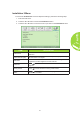
Installation II Menu
To access the Installation II menu and adjust the settings, perform the following steps:
1. Enter the OSD menu.
2. Press the ◄ or ► button to select the Installation II menu.
3. Press the ▲ or ▼ button to move the cursor up or down in the Installation II menu.
ITEM DESCRIPTION
Auto Source
Press the ◄ or ► button to enable or disable automatic source
detection.
Auto Power Off (min)
Press the ◄ or ► button to automatically turn the projector lamp
off when there is no signal.
LED Mode
Press the ◄ or ► button to select the LED mode for higher
brightness or lower brightness to save LED life.
Advanced
Press to enter the Advanced menu. See Advanced Feature on
page 24.
Factory Reset
Press to reset all items to factory preset values.
Status
Press to enter the Status menu. See page 27 for more
information on Status.