
Specifications




9
4.
Slide the POWER switch to
turn off the Qumi.
Adjusting the Image
If the projected image is not clear, the image can be
adjusted by moving the focus ring up or down until
the image is clear.
Setting an Access Password (Security Lock)
To prevent unauthorized use of the Qumi, you can create a password. When the access
password function is enabled, the password must be entered after the Qumi has been
turned on.
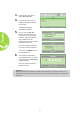
Creating a password can be done by performing the following steps:
1.
Press the MENU button on
the remote control or press
MENU and on the keypad
simultaneously to open the On-
Screen Display (OSD) menu.
2.
Move the cursor to the
Installation I tab and scroll
down to select Advanced.