
User manual




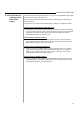

The rear panel of the projector provides the variety of inputs. The
projector can be connected to a computer, video, DVD player, laser disc
player, etc.
The projector can connect to a computer capable of VGA, SVGA, XGA,
SXGA and UXGA output.
Turn off the projector and computer before making any connections or
disconnections.
!
!
Use the supplied cable to connect your PC to the projector.
Turn on the projector and the computer.
2.4.1 Connecting to
a Personal
Computer
Connecting a PC
COMPUTER
R/R-Y
B/B-Y
AUDIO OUT
L- AUDIO -R VIDEO
MOUSE RS232C S-VIDEO
DIGITAL RGB
cable (optional)
Stereo audio
cable (supplied)
5-plug BNC
cable (optional)
To 5-plug BNC
terminal
(used when using
5-plug BNC input
to prevent loss of
image quality)
To AUDIO
terminal
(sound can be
produced)
To DIGITAL RGB
terminal
(canbeusedwhen
thePChasaDVI-D
terminal)
To DIGITAL RGB
output terminal
( DVI-D terminal)
To sound output
terminal
To RGB output
terminal
RGB cable
(supplied)
To RGB terminal
(this connection
enables PC
images to be
projected)
To RGB output
terminal
2.4 External
Connection
!
!
If the computer output is a 5-plug BNC type, use the 5-plug BNC computer
cable.
If the computer has a DVI terminal, use the DVI cable to connect to the
DVI port in the projector.
NOTE:
Installation & Setup
6
DVI
PC AUDIO
G-Y
H/C.SYNC.
V.SYNC.