
User Guide
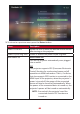




Table Of Contents
- Safety Precautions
- Safety Precautions - Ceiling Mounting
- Introduction
- Initial Setup
- Making Connections
- Using the Projector
- Operating the Projector
- Appendix
- Regulatory and Service Information

8282
Menu Descripon
Smart Energy Auto Power O
The projector can turn o automacally aer a set
period of me once no input source is detected.
Sleep Timer
Turn o automacally aer a set period of me.
Power Saving
Lower power consumpon if no input source is
detected aer ve (5) minutes.
Harmon Kardon Audio Mode
• Movie: Default audio mode.
• User: Allows the user to customize the audio
equalizer.
NOTE: In Custom mode, 100Hz, 500Hz, 1500Hz,
5000Hz, and 10000Hz can be selected.
Audio Volume
Adjust the volume from 0 to 50.
Mute
Mute or unmute the volume.
S/PDIF
Select for audio output via the S/PDIF port.