
User Guide
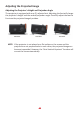




Table Of Contents
- Safety Precautions
- Safety Precautions - Ceiling Mounting
- Introduction
- Initial Setup
- Making Connections
- Using the Projector
- Operating the Projector
- Appendix
- Regulatory and Service Information

414141
Adjusng the Projected Image
Adjusng the Projector's Height and Projecon Angle
The projector is equipped with one (1) adjuster foot. Adjusng the foot will change
the projector’s height and the vercal projecon angle. Carefully adjust the foot to
ne tune the projected image’s posion.
NOTE: If the projector is not placed on a at surface or the screen and the
projector are not perpendicular to each other, the projected image can
become trapezoidal. However, the “Auto Vercal Keystone” funcon will
correct the issue automacally.