
Manual




23
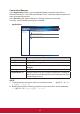
Label Description
[Local storage block]
Locallesystem Select this item to enable update from local storage block.
Enable force
update
Check this option to enable the force update mode. Force
update does not check rmware versions, but updates
only the content les (everything but the rmware version
number).
Browse Lets the administrator select update les. After update les
are chosen, rmware update process will start validating the
les selected.
[FTP block]
FTP server Select this item to enable update from FTP block.
Host Name Input FTP server IP.
Username Input user name of FTP account.
Password Input password of FTP account.
Port Select FTP port number.
Request Timeout Adjusts the request timeout value. When the administrator
clicks the Browse button, it will request the FTP server to
establish a connection. If the response time is larger than the
timeout value, the FTP connecting action will be aborted.
Enable force
update
Please refer to the above description in local storage block.
Browse Clicking this button will connect the FTP server and call
the le selection window to let administrator select update
les on FTP. After update les are chosen, the rmware
update process will download the chosen les and start the
validation and updating of the rmware.
Save Clicking this button will save the new setting values in FTP
block as default values.