
Manual




16
Desktop Mode
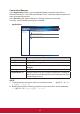
In the Desktop mode, users can create shortcuts on their desktops through the
connection manager and then simply double-click the shortcut to log into virtual
desktop/remote applications. Advance options can be adjusted in each shortcut for
different user scenarios. In ViewSonic client setup, several functions are provided to
administrator for advance control.
15:00START
Web Browser
Quick Connection
Information
Settings
Reboot
Power Off
1
2
No. Description
1 START Menu
2 Status row
START Menu
START
Web Browser
Quick Connection
Information
Settings
Reboot
Power Off
Connection Manager
ViewSonic Client Setup
Menu Item Description
Web Browser Open local client embedded browser (basic function)
Quick Connection Switch to Quick Connection mode.
Information Display software information of client system.
Settings Select Connection Manager and ViewSonic Client Setup.
Reboot Reboot the client system.
Power Off Shutdown the client system.
START Open START menu.