User Guide
Manuals
Brands
ViewSonic Manuals
Projectors
1920 x 1200 Resolution, 5,500 ANSI Lumens, 1.25 - 2.13:1 Throw Ratio
51
52
53
54
55
56
57
58
59
60
Table Of Contents
S2 ViewSonic Pro9 UM-VS-EN-20160706.pdf
Getting Started
Packing Checklist
Views of Projector Parts
Front-right View
Top view—On-Screen Display (OSD) buttons and LEDs
Rear view
Bottom view
Remote Control Parts
Remote control code
Using the remote mouse control
Remote Control Operating Range
Projector and Remote Control Buttons
Setup and Operation
Inserting the Remote Control Batteries
Starting and Shutting down the Projector
Setting an Access Password (Security Lock)
Adjusting the Projector Level
Adjusting Projected Image Position Using Lens Shift
Adjusting the vertical image position
PRO9520WL
PRO9510L
PRO9530HDL
PRO9800WUL
Adjusting the horizontal image position
Adjusting the Zoom, Focus and Keystone
Adjusting the Volume
On-Screen Display (OSD) Menu Settings
OSD Menu Controls
Navigating the OSD
Setting the OSD Language
OSD Menu Overview
Image Menu
Advanced Feature
Color Management
White Balance
Display Menu
Video/Audio Menu
Audio
Basic Menu
Splash screen
HV Keystone
Advanced Feature
Presentation Timer
Corner Adj.
Advanced Menu
Advanced Feature
OSD Menu Setting
Lamp Hour Reset
3D
Network Setting
Wired LAN Terminal functionalites
Supported External Devices
LAN_RJ45
Quick Start-Guide for “RS232 by TELNET”
How to have TELNET enabled in Windows VISTA / 7 / 8
Specsheet for “RS232 by TELNET” :
Status
Maintenance and Security
Replacing the Projection Lamp
Resetting the Lamp Time
Cleaning the Projector
Cleaning the Lens
Cleaning the Case
Cleaning the Air Filter
Using the Physical Lock
Using the Kensington Security Slot
Using the Security Bar Lock
Troubleshooting
Common Problems and Solutions
Tips for Troubleshooting
LED Error Messages
Image Problems
Lamp Problems
Remote Control Problems
Audio Problems
Having the Projector Serviced
HDMI Q & A
Specifications
Specifications
Projection Distance vs. Projection Size
PRO9510L / PRO9520WL / PRO9530HDL / PRO9800WUL
Timing Mode Table
Projector Dimensions
Regulatory Compliance
FCC Warning
Canada
Safety Certifications
Appendix I
IR code table
Appendix II
RS-232C Protocol
39
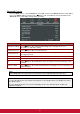
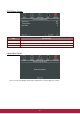
Corner Adj.
Press
(Enter) / ►
to enter the
Corner Adj.
sub menu.
1.
Press the cursor
▲ / ▼
buttons
to select a corner and press
ENTER
.
2.
Press the cursor ▲ / ▼ buttons to adjust vertic
al and press the cursor ◄ / ► buttons to
adjust horizontal.
3.
Press
MENU
to save and Exit the
settings.
1
...
...
50
51
52
53
54
...
...
100