
User Guide


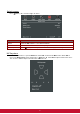

Table Of Contents
- S2 ViewSonic Pro9 UM-VS-EN-20160706.pdf
- Getting Started
- Setup and Operation
- On-Screen Display (OSD) Menu Settings
- Maintenance and Security
- Troubleshooting
- Specifications
- Regulatory Compliance
- Appendix I
- Appendix II

34
Audio
Press (Enter) / ► to enter the Audio sub menu.
ITEM
DESCRIPTION
Volume
Press the ◄► buttons to enter and adjust the audio volume.
Mute
Press the ◄► buttons to enter and turn on or off the speaker.
Active audio out
Press the ◄► buttons to select audio output connector.
Note: When select Off, the default sound is output from speakers.