
User Guide


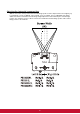


Table Of Contents
- S2 ViewSonic Pro9 UM-VS-EN-20160706.pdf
- Getting Started
- Setup and Operation
- On-Screen Display (OSD) Menu Settings
- Maintenance and Security
- Troubleshooting
- Specifications
- Regulatory Compliance
- Appendix I
- Appendix II

21
Adjusting the Zoom, Focus and Keystone
1.
Use the Image-zoom control (on the
projector only) to resize the projected
image and screen size.
2.
Use the Image-focus control (on the
projector only) to sharpen the projected
image.
3.
Press the / / / buttons (on the
projector or the remote control) to correct
vertical or horizontal image-trapezoid .
Remote control and OSD panel
4.
The keystone control appears on the
display.
Press / for V Keystone correcting
image.
Press / for H Keystone correcting
image.
ENTER