
Instruction manual



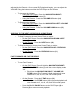



1. KID SAFE
2. G
3. PG
4. PG13
5. PG-R
6. R
7. NC-17
8. ADULT
Set Parental Control
o DEFAULT – To return the DVD player to the original factory settings,
select DEFAULT and the player will automatically return to the
factory default settings.
• VIDEO SETUP
o The Video Setup menu will allow you to adjust the Brightness,
Contrast, Hue, Saturation, & Sharpness settings for the picture.
These adjustments should be made based on your personal
preferences for picture and color quality.
• AUDIO SETUP
o The Audio Setup menu will allow you to make adjustments to the
amount of bass and treble by choosing from various equalizer
presets. These adjustments should be made based on your personal
preferences for audio tone and quality.
CHOOSING SUBTITLE LANGUAGES DURING DVD PLAYBACK
NOTE: the DVD disc must have multi-subtitle enabled for this function to work.
To choose a Subtitle Language during DVD playback press the SUBTITLE button
(17) on the Remote. Each time the SUBTITLE button (17) is pressed the selected
subtitle language will change and the current language will be displayed on the
screen.
To turn Subtitles OFF, continue to press the SUBTITLE button (17) until the
screen displays “OFF”.
CHOOSING AUDIO LANGUAGES DURING DVD PLAYBACK
NOTE: the DVD disc must have multi-language audio tracks for this function to
work.