
User manual




2
No
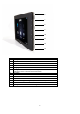
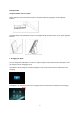
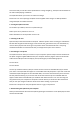
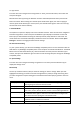
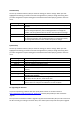
Description
1
Holding the frame in Landscape
:
Move l
eft
b
u
tton
2
On/Off Switch
3
SD Card Slot
4
USB Port
5
Charging Port
6
Holding the frame in Landscape
:
Move
right
b
u
tton
Holding the frame in Portrait: Move left button
7
Up Button
8
Down Button
9
OK
Button
10
Exit/Back Button
11
Press once:
Chang
e viewing mode/ Press and hold: Option Menu
12
Slideshow button
13
Holding the frame in Portrait
:
Move right
b
u
tton
6
7
8
9
10
11
12
13