
User`s guide





216 Sun StorageTek SAM Archive Configuration and Administration Guide • Version 4, Update 6, 04/07
2. Create and configure the SUNW.qfs resource.
3. Create and configure a Sun StorageTek SAM shared resource.
4. Create the HA-SAM resource type.
5. Create and configure the SUNW.hasam resource.
6. Create dependencies between resources within the resource group.
7. Use the scswitch(1M) -Z -g command to bring the resource group online.
Note – The Sun StorageTek QFS file systems must be mounted before bringing the
resource group online.
8. Ensure that the resource group is functional on all configured nodes.
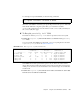
# scrgadm -a -g SAM-HA -t SUNW.qfs -j qfs-res \
-x QFSFileSystem=/global/qfs1,/global/qfs2
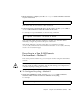
# scrgadm -a -j sam-hastp -g SAM-HA -t SUNW.HAStoragePlus \
-x FilesystemMountPoints=/sam_shared -x AffinityOn=TRUE
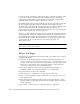
# scrgadm -a -t SUNW.hasam -f /opt/SUNWsamfs/sc/etc/SUNW.hasam
# scrgadm -a -g SAM-HA -t SUNW.hasam -j sam-ha \
-x QFSName=qfs1,qfs2 -x CatalogFileSystem=/sam_shared
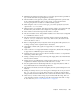
# scrgadm -c -j qfs-res -y Resource_dependencies=sam-hastp
# scrgadm -c -j sam-ha -y Resource_dependencies=qfs-res
# scswitch -Z -g SAM-HA
# scswitch -z -g SAM-HA -h scnode-B
# scswitch -z -g SAM-HA -h scnode-A