
User's Manual




39
Copyright 2012 Unitech Electronics Co., Ltd. All rights reserved. Unitech is a registered trademark of Unitech Electronics Co., Ltd.
Protocol view displays all packets for the active session.
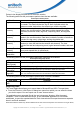
The following table lists the post-ca e available:
Post-Capture Pack
e
pture packet views that ar
et Views
View Nam Contents
Tag Access from
Lists in chronological order all Inventory Response packets received
the reader. The view includes the Tag ID, time of packet arrival, the
Antenna number, device time, the access type, and the tag data.
Command
Summary
nd, execution mode, tag count, unique tag count, and tag read
Provides summary information about the commands executed by the
reader in the current session. Data items include elapsed time of the
comma
rate.
Antenna Cycle
Summary antennas
Provides summary information about the antenna cycles executed by the
reader in the current session. Data items include the number of
included, the tag count, unique tags, and tag singulation rate.
Inventory Cycle
Summary
rrent
s the total and unique tag count, logical antenna number, and read
Provides a summary of all of the inventory cycles included in the cu
session (or since the last time the session was cleared). The view
include
rate.
Inventory Round
ncluding the antenna used, tag
Summary
Lists data related to each inventory round i
count, and elapsed time in milliseconds.
Inventory
Parameters
Lists the parameter used in the session’s inventory rounds.
The following table lists the post-c re available:
Post-Capture Diagno
e
apture diagnostic views that a
stic Views
View Nam Contents
All Packets
(Raw Format)
Lists in chronological order all packets received from the reader.
Invalid Packets Lists invalid or unrecognized packets, the raw data, and the parsing error.
Inventory Cycle
Diagnostics
Lists diagnostic information for each inventory cycle.
Note: The extended data format must be selected to obtain this information.
Inventory Round
ation.
Diagnostic
Note: The extended data format must be selected to obtain this inform
Lists the diagnostic information for each inventory round.
The following table lists the post- is available:
Post-Capture Perform
capture performance view that
ance View
View Name Contents
Singulation Rate Provides data useful for calculating the read rate achieved by the reader.
Data
Exporting Data
The Tracer application allows you to export data to Microsoft Excel 2003. To export data:
z From the File menu, click Export. A dialog box opens from which you can select the views
d data file. Each view selected for export becomes a separate
ws in each view to be exported. If a session is too big for Excel,
you wish to export. You can export one or more views at a time.
The application saves exported files in the user’s temporary directory. After the export
completes, Tracer invokes Microsoft Excel, or the associated application for xml format
worksheets, to open the exporte
sheet in an Excel workbook.
Note: Microsoft Excel allows only the first 65536 ro