
User's Manual


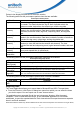


View Menu Options - Build Post-Capture Views
z To configure the application to automatically invoke the post-capture processing:
1. From the Tools menu, select Tracer Options. The Tracer Option dialog box displays.
2. Select Automatically perform post-capture processing as shown in the figure below.
Automatically Perform Post-Capture Processing
When the post-capture processing completes, all views become available from the View menu,
as shown in the figure below.
View Menu Options - Post-capture Views
Except for the Reader Protocol view, all post-capture views are divided into three groups under
the submenus:
z Packet Views
z Diagnostic Views
z Performance Views
The Protocol Trace is the only view that supports the display of both live and post-capture data.
When the reader is active, the Reader Protocol view displays the last one thousand captured
packets for the current command. When the post-capture process completes, the Reader
38
Copyright 2012 Unitech Electronics Co., Ltd. All rights reserved. Unitech is a registered trademark of Unitech Electronics Co., Ltd.