
User's Manual


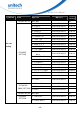

Table Of Contents
- About This Manual
- Regulatory Compliance Statements
- Laser Information
- LED Information
- Battery Notice
- Adapter Notice
- Hearing Damage Warning
- Worldwide Support
- North America
- Please scan QR Code to visit us :
- Warranty Policy
- 1.1 Package
- 1.2 Scanner Detail
- 1.3 Specifications
- 1.4 Getting Started
- 1.5 Battery Charging
- 1.6 LED Indicator / Beeper Sequence
- 1.7 Display Menu Tree
- 2.1 NFC Pairing with Mobile Devices
- 2.2 BT HID
- 2.3 BT SPP
- 2.4 BT SPP (Slave)
- 2.5 USB SPP
- 3.1 All symbologies
- 3.2 Message Length Description
- 3.3 1D
- 3.3.1 Codabar
- 3.3.2 Code 39
- 3.3.3 Interleaved 2 of 5
- 3.3.4 Code 93
- 3.3.5 Standard 2 of 5 Industrial (three-bar start/stop)
- 3.3.6 Standard 2 of 5 IATA (two-bar start/stop)
- 3.3.7 Matrix 2 of 5
- 3.3.8 Code 11
- 3.3.9 Code 128
- 3.3.10 UPC-A
- 3.3.11 UPC-E0
- 3.3.12 UPC-E1
- 3.3.13 EAN/JAN-13
- 3.3.14 EAN/JAN-8
- 3.3.15 MSI
- 3.3.16 GS1 DataBar Omnidirectional
- 3.3.17 GS1 DataBar Limited
- 3.3.18 GS1 DataBar Expanded
- 3.3.19 PDF 417
- 3.3.20 QR Code
- 3.3.21 Data Matrix
- 3.3.22 MaxiCode
- 3.3.23 Chinese Sensible (Han Xin) Code
- 3.4 2D
- 4.1 System setting
- 4.2 BT pairing
- 4.3 Output data transmit
- 4.4 BT Config
- 4.5 Beep & Vibration
- 4.6 Scan mode / Parameter Selection
- 4.7 Prefix/Suffix selections
- 4.8 Data formatting
- 4.9 Data Validation
- 4.10 Lookup Table Function
- 4.11 Manually set up

- 13 -
MS926 User’s Manual
Top Me nu Me nu Result Default Se tt in g
1. BT Pairing 1.1 Pairing
2.MAC Address
2.1 12 Characters Bluetoot h
MAC Address
3. Paired Device
3.1 Show PAI RED DEV NAME
Show PAI RED DEV ADDR
4. Rem ove Pair
4.1 Rem ove pair
5. Signal Strengt h
5.1 Signal Strengt h Detect ion
Enable / Disable
Enable
6. BT FW Version 6.1 Show BT FW VERSI ON
Bluetooth
CONFIG
7. Exit