
User guide


AirMagnet Spectrum XT User Guide
Chapter 5: Auto Pattern Detection and Custom Device Classification 57
value between 30% and 100%. For environments with high amounts of spectrum data,
most loosely constrained patterns can yield better detection rates, and can also lead to
potential false detections. More tightly constrained patterns, meaning a higher threshold,
means that there will be fewer false detections, with a chance that there will also be fewer
actual detections that fall just out of range of the constraints.
10) Add any description comments, if desired.
11) Should you desire to attach an image to the new signature that may be used to easily
identify the signature, click Attach Device Image to browse to an image .
12) Click Add Signature to save the signature.
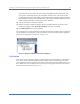
The system allows to create a maximum of 50 custom signatures and at the most 10 signatures
can be enabled. For an enhanced system performance, it is best to enable only the signatures
which are of current interest to the user. See Figure 5-6.
Figure 5-6: Enable and Disable Custom DeviceSignatures
Verification
The created custom signature is tightly coupled with the associated frequency of the pattern.
If the device switches the channel and needs to classify on the new channel, the user must
create signatures for those frequencies. Once the custom device has been defined and saved,
the next time the correct conditions are met, the device will appear in the Device List and in
the Non-WiFi devices panel. See Figure 5-7.