
User guide




AirMagnet Spectrum XT User Guide
Chapter 10: Device Detection 135
within the channel width of a WLAN AP, and only if it is significantly close enough to the
WLAN network to have an impact.
• If the motion detector is in an area of high pedestrian traffic, is on a frequency within the
channel width of the WLAN AP, and if it is significantly close enough to interfere with the
WLAN, this device type can have a signaificant impact on a WLAN, behaving almost as a
Narrow-band Jammer would.
Recommended Courses of Action
• If possible, change the channel that your WLAN is operating on to one tha is unaffected by the
Motion Detector.
• You may consider changing from the 2.4GHz band to one of the 5GHz bands, as these bands
will not be affacted by the Motion Detector.
• If you have to use your Motion Detectors along with 2.4GHz WLANs, try to maximize the
distance between APs and Motion Detectors to minimize their RF interference.
RF Signal Generator
A device that generates repeating or non-repeating RF signals. An example of this type of
device is the AirHORN Channel-Signal Generator. This USB PC-based product aids users in
testing Wi-Fi antennas, RF shields and wireless networks. This RF Signal GEnerator covers the
2.4 and 5 GHz bands and generated RF signals for each Wi-Fi channels in thos spectrums.
Recommended Courses of Action
AirHORN Channel-Signal Generator is a proprietary hardware/software solution sold by
Nuts About Nets. Only the devices in this product category will show up as this device type.
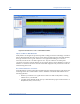
Below is an example of what the spectrum pattern for what an AirHORN Channel-Signal
Generator would look like in a relatively noiseless 2.4GHz spectrum.
Impact on 802.11 WLAN
Used incorrectly, the AirHORN Channel-Signal Generator can create a singal that will
essentially block all WiFi and WLAN traffic across a 2.4 or 5 GHz ISM band, until it is either
turned off or switched to a different channel.
Recommended Course of Action
Please follow the recommended actions to minimize or eliminate their interference to 802.11a/
b/g/n WLANs:
• Monitor your WLAN on a regular basis to make sure that no RF signal generator is causing
unintended interference to your WLAN.