
User guide




AirMagnet Spectrum XT User Guide
Chapter 10: Device Detection 125
Recommended Courses of Action
Once interfering analog cordless phones are successfully located, you can take the following
actions to minimize or eliminate their RF interference to your 802.11 WLAN:
• If you have an 802.11b/g WLAN, avoid or stop using analog cordless phones on the
same channel as your 802.11a/b/g APs. Instead try to set them on other non-
overlapping channels.
• If you are using an 802.11b/g WLAN, try to use 5.8-GHz or even old 900-MHz analog
cordless phones which use different radio bands and channels.
• If you have an 802.11a WLAN, avoid or stop using 5.8-GHz cordless phones. Instead
replace them with 2.4-GHz cordless phones.
• If you have an 802.11b/g WLAN and 2.4-GHz analog cordless phones are a must, try
to use those more expensive but less interfering ones which use Digital Spread
Spectrum (DSS) technology that offer wider range, better security, with less
interference.
• If optimal WLAN performance is not an issue, you may continue use your 2.4-/5.8-
GHz cordless phones along with 802.11b/g or 802.11a WLANs but try to maximize
the distance between WLAN APs and cordless phone bases to minimize RF
interference between or among them.
• Consider upgrading your WLAN to 802.11n standard, which not only provides better
RF interference avoidance mechanisms but also offer greater throughput.
Microwave Ovens
Most microwave ovens used in homes and businesses today operate in the 2.45-GHz
frequency, which is roughly the frequency of Channel 9 in an 802.11b/g WLAN. When a
microwave oven is operating, the radio waves emitted from the radio antenna inside the oven
are mostly confined within the oven’s case, with only a small amount leaking out sometimes,
especially with old ovens. To an 802.11b/g WLAN operating within close proximity, the radio
waves that leak out of the microwave oven are a source of RF interference that may cause
serious performance issues. This is because the interfering radio signals leaking out of the
microwave oven will cause WiFi station to hold off transmission until the airwave is clear,
causing network delay in the process. Furthermore, interfering RF signals do not follow the
rules of the 802.11 protocols and are rather unpredictable: they can come and go at any time,
disrupting normal communications between 802.11 devices in the WLAN. Study found that a
microwave oven operating within ten feet of an 802.11b/g access point (AP) could cause a
75% drop in network throughput on Channel 9 (2.45 GHz frequency). Significant drop in
throughput was also observed on adjacent channels such as Channels 8, 10, and 11. The
impact was more severe near the edges of the AP’s coverage area.
RF Spectrum Pattern
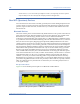
Figure 10-6 shows the RF spectrum pattern of radio signal from a microwave oven.