
User manual



‐34‐
Default DEMO Password :88888
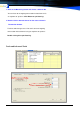
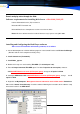
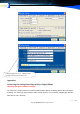
2. Press Hot key F8, showing Database setting option, Select ACCESS & path
3. Testing Connection, if success, please save the setting
4. restart the Popup system Log on by Demo user
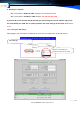
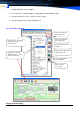
4.5.3 Popup Main operation
PopupSystemConfig
Customer info will show-
ing by company list
Customer info will show-
ing by company list
Incoming Caller showing &
management
Attendant online, Can Chat &
send the file by LAN
Customer shipping address
Print & management
Customer Clerk
Info. remark.
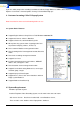
Input Contactor or Company
information and click
“Search” button
Click right key, showing
“Add New” option, you can
add a new Customer