
User manual



Telephone Voice Recording System
Page|33
CopyrightUltraDisk™2010Allrightsreserved
SoftwareInstallation
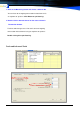
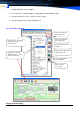
1. Double click the Setup.exe file in the Installation CD. Setup Wizard will guide you through the
installation process. C:\Program Files\Popup
2. A shortcut will be added in the Desktop and in the Program menu under All Programs.
3. Then, the Popup System software will run automatically.
SoftwareUninstall
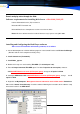
Go to Desktop, Start menu -> All Programs-> Pop-UP-> Uninstall.
LinktoSQLServerdatabase
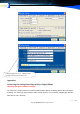
Need Setting Database links in the first running this System, following setting Step:
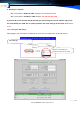
a. Run the Popup.exe, Enter “System” manual, Click “Log On” option, Default DEMO Password
:88888
b. Press Hot key F8, showing Database setting option, setting it same the picture
c. if success, save & restart the Popup system Log on by Demo user
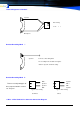
4.5.2 Connection with Access
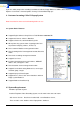
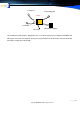
1. Run the Popup.exe, Enter “System” manual, Click “Log On” option,
Click the Green
updating button
Can choose the Popup
database server PC name or
Input the Database User
name & password, see
Select the Database and
test connection If shows
Press Hot key F8,
showing Database
setting option