
User manual



‐32‐
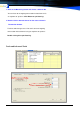
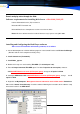
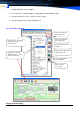
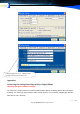
If you are unable to open the recording list window, disable the Popup Blocker as follows: Go to Internet
Explorer. Click Tools-> Internet Options->Privacy->Uncheck Block Pop ups.
4.CustomerIncomingCallerIDPopupSystem
Note: Need Out line have received Incoming Caller can use
4.1 System Basic Features:
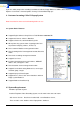
● Support English/Chinese-Simp/ Chinese-Trad Windows 2000/2003/XP。
● Support SQL Server & Access Database
● Support send the file, communications by LAN
● When phone ring system shows Incoming Caller Id in-
fo,(customer company, address, ATTN, Tel)
● Have customer Database management function
● Have Incoming Caller Id management function, Black list
shows
● Have Sales recording management function
● Support User Level
● Customer management have mail address, WEBSET
address link, can logon as soon.
● Have Customer Service management function
● Support User-defined setting Products list, service type,
customer group, Langue
● Support Inquiry & Printer Report
● Support Access, Excel, SQL Server database switch to
Popup system Database
● Support Database Auto Back-Up
4.2SystemRequirement
Windows Operation System
Installed Telephone Voice Recording System, need is work in the course of nature
SQL Server Version: Need have installed SQL server Database Server,
There are SQL server database in the Popup folder \ database.