
User manual


Telephone Voice Recording System
Page|27
CopyrightUltraDisk™2010Allrightsreserved
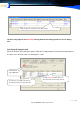
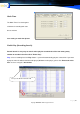
Call List Report: The recording files generate a report that can be printed and saved.
Channel Sum Report: The call duration and phone numbers of the voice files can be printed and saved.
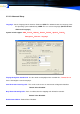
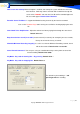
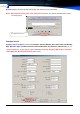
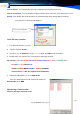
Backup: Click Backup to back up the data to a specified directory. Each backup folder include the
every Voice file * Indexmain.mdb database
Voicefilesavelocation:
1. The Voice file default is save in D
2. subarea hard-disk D:\VOC \
3. each file is save in (20071011)
20071011 <-> Year, Month, Day
folder under VOC folder.
4. Recorded files are named in such a way that they do not get repeated.
For example: File name 2007101109173100070102515225525.wav means a recording file for
20071011 <-> Year, Month, Day
091731 <-> Hour, Minute, second 0007 <-> 7 channel
0102515225525 <-> Dial No. (support 50 bit dial Number)
5. Indexmain.mdb Database is save in MDR folder,
There are month indexmain.mdb & Indexmain.mdb in the
Backup folder under MDR
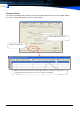
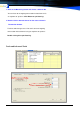
MonitoringaConversation
There are two ways to monitor a call:
Choose the backup path