
User manual


‐22‐
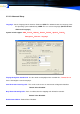
3.2.10 Advanced Setup
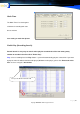
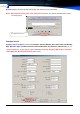
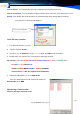
Language: Set the Language for the interface. Default is AUTO The software detects the language from
the Operating system automatically. USER: The user sets the language. (Advanced Tool-
>Edit Local Language)
System include support ARA,French,Hebrew,Korean,Poland,Spanish,Turkish,
Portuguese,Vietnam… language
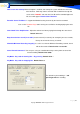
Playing through the Sound Card: Use the sound card to playback the recorded files, ZS4200, D5130
Series all through the sound card player.
Save No answer incoming calls: This can be used to save an unanswered call log to the database
Default Value: Disabled.
Only Record Incoming Calls: If this is enabled, then the outgoing calls will not be recorded.
Default Value: Disabled.
Enable Sound Alarm: Default Value: Disabled.