
User manual


Telephone Voice Recording System
Page|11
CopyrightUltraDisk™2010Allrightsreserved
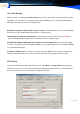
VoiceFilesBackup
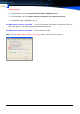
When a channel is recording, pause the backup (when using a slower CPU, backup will affect the record-
ing quality): The subscriber can customize the time for the Auto Backup. The system will automatically
backup the data into and save in the designated path.
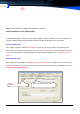
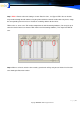
BackUp Recording files automatically, Interval is (min): can user-defined the Time, System willBackUp
the file to save in the designated path by 30 minutes. same the picture.
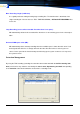
"Daily Backup recorded files automatically" Set the Backup start time. If the start time is 17:00, the
system will automatically backup the file at 17:00 and save in the designated path.
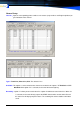
Auto Backup to DVD or CDRW (Nero 6.0 or above has to be installed): When you enable this option,
as shown, and setup the path for the DVD or CDRW, the system will backup the files to the DVD or CDRW
at a specified interval of time.
In CD Path: is NERO software’s function, system will scratch the DVD disc which writes to regard as the
hard disk to deposit the Voice files, uses this function to be allowed immediacy to read in the data
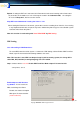
FTPBackup:
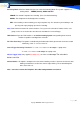
Launch the FTP Backup function. Enter the FTP server’s IP address and port number (usually port 21)
and the accessing user’s user name, password and the backup path For the FTP, the system will upload
the list of voice files on the server’s port to the designated FTP path.
192.168.0.152
D:
\
Back Up
\
21
123456
****
**