
User manual

Page | 5 Copyright UltraDisk™ 2009 All rights reserved
Operation
Turn on the recorder
If the power switch is at the OFF side. Push the power
switch(OFF/ON)to the “ON” side. The screen will light up in 5
seconds, the recorder is turned on.
Hold and press button when the recorder is
off, the recorder is turned on.
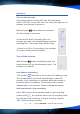
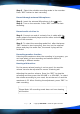
If there are SP and LP recording files, the
recorder will enter into standby Playing mode for
recording files. The screen shows picture (top):
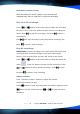
If there is no SP or LP recording in the recorder.
The screen shows picture (bottom):
Turn off the recorder
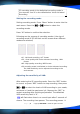
Hold and press button at standby mode, the
screen shows OFF (as the following picture). The
recorder is turned off.
Low battery indication:
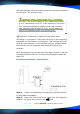
The symbol will flash on the screen if the battery is low.
The recorder will be turned off automatically in about 30
seconds. If the recording is in progress while the recorder is
turned off due to low battery, the recording will be saved
automatically in the recorder. Please recharge the battery.
One-key Record /stop recording
Press “REC” button at the standby mode to start recording.
Screen shows , the recorder enters into SP recording mode.
The indicator light is flashing. It begins recording. Repress
“REC” button to stop recording.