
User manual

Page | 9 Copyright UltraDisk™ 2009 All rights reserved
Automatic section-break
After recording for a full 4 hours, the recorder will
automatically start a new file to continue recording.
Play LP & SP recordings.
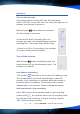
Press or button in the main menu to select the recording
file menu “VOS”. Press “M” button to enter into the recording file
menu. Press
to play the recordings. Re-press to pause /
stop playing.
Press
after stop recording to play the present recordings. Re-
press
to pause / stop recording.
Play HP recordings.
Please Note: The HP recordings are in mp3 music file format and
are played back via the mp3 player mode (see music player
section). The recording files are with “HP” show on the screen.
Press
or button in the main menu to select the music file
menu
. Press “M” button to enter into the sub-menu. Press
or button to select the HP recordings. Press to play.
Re-press
to pause / stop recording.
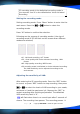
Adjust volume:
Press “volume+/volume-” button to adjust the volume.
Select the recording to play:
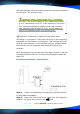
Press
button for next recording when recording is playing. Press
button for last. Hold and press or for fast forward or
backward.