
User manual

Page | 8 Copyright UltraDisk™ 2009 All rights reserved
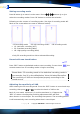
Attention:After entering in the “Delete” mode, if no further
operations on the recorder within 3 seconds, the recorder will
automatically exit to the main menu delete mode.
Attention: Please backup the important files in the computer
before deleting or formatting the recorder.
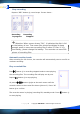
Record telephone conversations
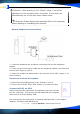
1.Insert the telephone line and phone connecting line into the telephone
adaptor.
2.Insert one end of the line-in cable into the telephone adaptor, the other end
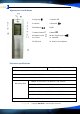
insert to the “signal-in” jack ⑩.
3.Select the suitable recording mode in the recorder. Press “REC” button ⑥ to
start recording. .
Record via external microphone
1. Insert the external Microphone in the “Signal-in” Jack ⑩.
2. Turn on the recorder. Press “REC” button ⑥ to start recording.
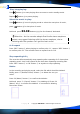
Connect with PC via USB
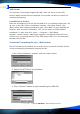
Please insert the USB cable which accompanying with the recorder
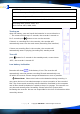
into the “USB Jack”, and connect the USB cable with the computer,
the screen of recorder displays USB:
The recorder has the full function of standard USB flash disk. It can support
windows , Windows 2000/ME/XP/Vista