
User manual

Page | 4 Copyright UltraDisk™ 2009 All rights reserved
Setting recording mode
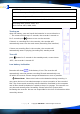
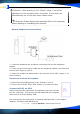
Press M button ⑧ to enter in main menu. Press
or buttons ④ or ⑤ to
select the recording modes. Press “M” button to confirm the selection.
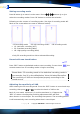
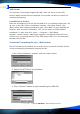
Following are the screens of recording modes: (the sign of recording mode will
flash on the screen when we come to different modes):
(LP Recording mode) (SP VAR recording mode) (HP recording mode)
• LP: Hold and recording (ACT)
• SP: Standard recording (WAV)
• HP: High quality recording (WAV)
*Only SP recording mode has Voice Activated Recording
Record with one-touch button
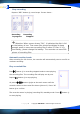
Press “REC” button at defaulted mode to start recording. Screen shows
, the
recorder enters into SP recording mode. It begins recording
Please Note: SP recording mode is the defaulted recording mode in
the recorder. And it is also defaulted as Voice Activated Recording.
The sensitivity of VAR can be adjusted properly according to the
sound source.
Adjusting the sensitivity of VAR
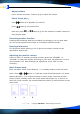
After entering the SP recording mode. Press the “REC” button to record and stop
recording, then press
or to select the levels of VAR on the
basis of your needs, minimum is 1 and the maximum is 4. Repress the
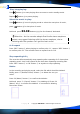
“REC” to restart recording after finishing adjustment.VOS will flash
when there’s no sound input. The recording time pauses. The recording pauses.
It will automatically start recording when there’s sound input.