
User guide

Shining Technology CitiDISK HD Quick Usage Guide v9.0 Shining Technology CitiDISK HD Quick Usage Guide v9.0
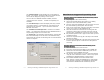
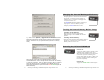
7). Click on the “Upload / Upgrade Device Firmware” button.
Follow the instructions and the system will ask for the firmware
target. Select the one you just download (must be in a binary
form).
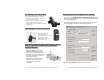
Select the file named like “FW1256HD(HVX200)-oxfw911-
07232006Release” as the example shown above with the “Binary”
or “bin” file extension. Click on “Open” and then “OK” to continue.
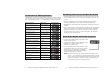
Once the upload process is completed, the CitiDISK HD will re-
synchronize itself to the system and both RED & GREEN lights will
blink alternately.
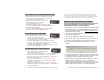
Charging the Internal Rechargeable Battery
Turning On Internal Battery Before Usage
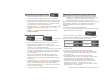
Powering On/Off the CitiDISK HD
Power on:
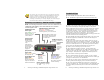
Toggle the “PWR” button (closest to the
external power adapter input) once.
When the internal battery has less than
5 minutes of power remaining, this
power status light will start to blink and
will stop recording before shutting off
the unit completely.
Power off:
Toggle the GREEN “PWR” button again.
Turning on the battery:
Slide the main switch to ON position.
Without doing so the CitiDISK HD will not
operate.
Turning off the battery:
Slide the main switch to OFF position while in
storage or in transit so as not to drain the
battery when it’s not in use.
Charging power is drawn from the FireWire
bus power or external power adapter. A
minimum of 4 to 6 hours of charging time
is required before use.
The BLUE LED indicates battery charging is
in progress. Once the battery is fully
charged, the BLUE LED will turn off.
P12 P5