
Service manual




89
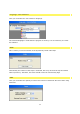
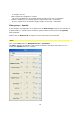
With the help of the controllers displayed, you can alter the sparkle effect properties.
More details of Sparkle filter setting options as well as graphic displays can be seen by
clicking here.
Any change to a property is immediately displayed in the preview window in real time.
Tip:
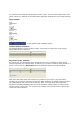
Of course, you can select other effects using the Filter drop-down menu, the dialogue boxes
nevertheless differ from each other, since every effect comes with different setting options.
Use of the controller is still the same, for checking purposes every change is displayed
immediately in the preview window.
Color Adjustment
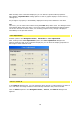
Another option in the Navigation menu / Parameter is color adjustment.
After clicking on the color adjustment option, the color adjustment dialogue box
appears. With the help of the controllers displayed, you can alter the display properties of
the image or video material used.
Source / Video A
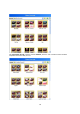
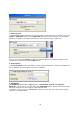
In the Video A dialogue box, you can determine which image or video material you want to
use. Until then, the image material is automatically selected in the preview window.
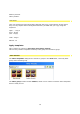
Click on Video A option in the Navigation menu / Source, the Video A dialogue box
appears.