
Service manual




88
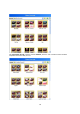
• List: display as a list
• Table: Display the templates in a table
• small Icons: smallest form of symbolic display (single mouse click = animation)
• symbols: middle form of symbolic display (single mouse click = animation)
• Big Icons: largest form of symbolic display (single mouse click = animation)
Filter group / Sparkle
In this chapter, the application of an effect from the Filter Group, based on the example of
a Sparkle effect, is explained in more detail. Sparkle effects can be found in the Sparkle
filter templates.
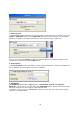
Double click on Effect #131 to transfer it to the Vitascene preview window.
Filter
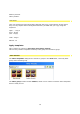
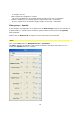
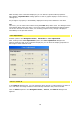
Click on the Filter option in Navigation menu / parameter.
The Filter dialogue box appears, and contains numerous controllers with which you can
modify the Sparkle effect, for example.