
Service manual


80
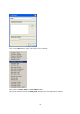
Background / borders
This is where the user interface design can be freely adjusted according to personal taste
and used monitor type.
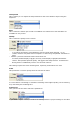
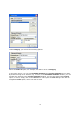
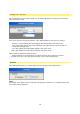
First of all, the user can select between 3 pre-defined patterns and one free setting:
• Automatic: neutral editing area with slightly darkened borders and outer areas.
•
freely configurable: this is where the individual color adjustments can be carried out
according to personal taste.
• black: dark editing area with lighter borders and outer areas.
• white: light editing area with darker borders and outer areas.
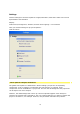
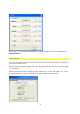
This is what the different elements mean:
• visible background: corresponds to the video overscan minus the text overscan.
• invisible area: this is the area which borders on the visible background
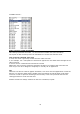
Duration
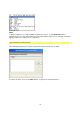
This setting dialogue box is used to determine the length of the applied effect.
Note:
The length of an effect cannot be altered during plug-in operation (i.e. operating Vitascene
from video editing software).