
Service manual


79
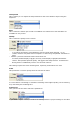
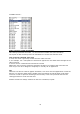
available formats :
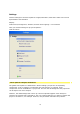
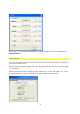
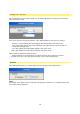
Video overscan, width and height
This setting represents the entire, i.e. the maximum useable area (the resolution).
The export of data and the preview of animations are carried out with this value.
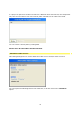
Text overscan, the title save area
If used, this value is generally smaller than the video overscan.
If, for example, 700 * 556 pixels are selected as opposed to 720 width and 576 height in the
video overscan,
a reserve area is created that should not be touched.
Within this area no layout measures should be carried out, as objects that reach into this
area may be cut off or disappear completely in critically set TV appliances.
Tip:
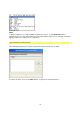
Vitascene can also be used for graphic animation, such as for the final application in Internet
banners. For this the width and the height of the final banner should be input under video
overscan in order to prevent rendering of unnecessary areas in the preview and save the
cutting procedure to reach the final size.
Smaller formats are always shown from the zero coordinate, top left.