
Service manual



56
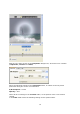
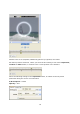
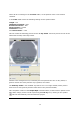
Parallel to the circle (template) additionally placed rays (Sparkle) are visible.
No new Key frames will be set, unless you enter the first setting in one of the Impression,
Location or Filter folders, in relation to the current position in the Timeline.
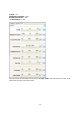
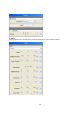
Select the following settings in the Impression folder, in relation to the Key frame
positioned during the course of an animation:
A/B Sharpness = 160%
Opacity = 40%