
Service manual



54
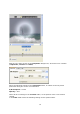
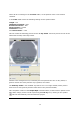
Now go to the lower section of the Templates dialogue box, where there are 3 folders
(Impression, Location and Filter).
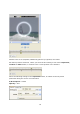
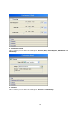
Select the following settings in the Impression folder, in relation to the Key frame
positioned during the course of an animation:
A/B Sharpness = 150%
Opacity = 30%
There will be no settings in the Location folder, as the position of the circle remains
centred.
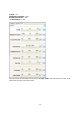
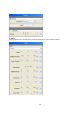
In the Filter folder select the following settings for the Sparkle effect.