
Service manual



53
Apply Shape Wipe transition effect (with integrated Sparkle effect)
This tutorial focuses on use of a transition effect from the Shape Wipe Gallery. Vitascene is
used as a plug-in to video editing software (e.g. Avid Liquid).
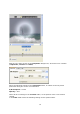
Double click on the Vitascene Transition in the Timeline (appearing in grey between the
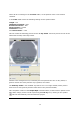
clips), Vitascene will start, the video material from the video editing software will appear in
the preview window.
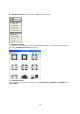
Choose a suitable transition from the Filter Templates (e.g. Sparkle Circle Wipe #46). A
playback with the selected transition will appear in the Vitascene preview window in real
time. Video A is faded into video B. Of course, you can modify the transition in Vitascene to
suit you.
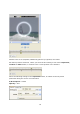
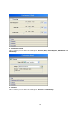
Now go to the Timeline beneath the preview window, stop playback and place the slider in
the position of your choice.
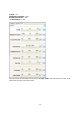
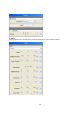
Leave the Beginning Key frame with its original settings, as the fade out is no longer
visible in the preview window and the process should start from zero (centered).