
Service manual


24
Canopus Edius / Plugin as video transition
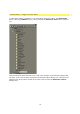
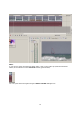
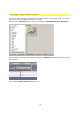
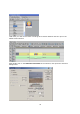
Start Canopus Edius, place two video clips in the Timeline. In the Transition folder you will
see a proDAD directory which contains the Vitascene Transition that is ready for use.
Now use drag and drop to place the Vitascene Transition between the two clips in the
Timeline. The Vitascene software will not start.
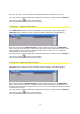
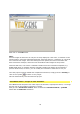
Once a transition has been selected in the Timeline, Edius displays (as a property) the effect
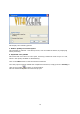
for this clip by name. Double click on the name to open the Vitascene-Control dialogue
box.
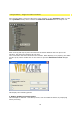
This displays the following options:
1. Reduce quality to increase speed
This attempts to maintain a real-time preview, even for elaborate effects, by employing
faster processing.