
Service manual



18
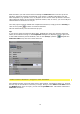
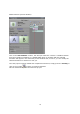
next to the Adobe Premiere preview window). Click on the (Setup...) button alongside
the Vitascene Filter icon, this will re-start Vitascene.
Adobe Premiere Pro / Plugin as video transition
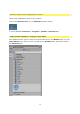
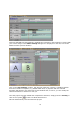
Start Adobe Premiere, place two video clips in the Timeline, superimpose them (i.e. arrange
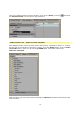
the two clips in the Timeline so that they overlap). Go to the Effects folder. Once the Video
cross fade folder is open you will see the proDAD folder. This folder contains the
Vitascene Transition.
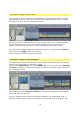
Now hold down your left mouse button and drag the Vitascene Transition between the clips
in the Timeline.