
Service manual




153
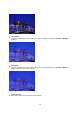
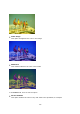
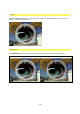
The example illustration has been created using the following setting:
Opacity=70%, Composite=Overlay
Fill as Gradient: upper color
Red=80%, Green=50%, Blue=0%
Fill as Gradient: lower color
Red=33%, Green=15%, Blue=60%
Effect Parameter
Within Effect Parameter, you are offered various setting options for the effects used. The
various differences in settings for the individual parameters are presented in more graphic
detail here.
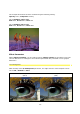
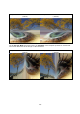
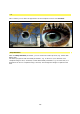
A/B Sharpness
With the help of the A/B Sharpness parameter, the edge contours of the template can be
set to soft / medium or hard.
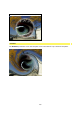
A/B Sharpness
(hard)
A/B Sharpness
(soft)