
Service manual




146
•
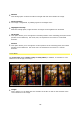
Method
This is where you can set the type of editing.
•
Length
Using this option you can determine the degree of blur in the image.
•
Haziness
Using this option you can determine the intensity of the Dust effect (build up of haze or
mist).
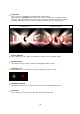
•
Gamma
This setting option controls the effect on bright and dark areas within the image.
•
Glow-Intensity
The image is brightened, by adding a glow to the bright areas.
•
Highlight-Intensity
With this setting option, bright sections of images can be lightened or darkened.
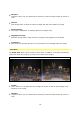
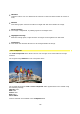
Motion Dust
The Motion Dust effect creates a hazy or misty effect, bright areas become blurred and
illuminate dark areas within the image. In addition, the effect of a rapid camera pan (or
reflection) appears within the image.
without Motion Dust with Motion Dust
•
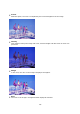
Length
This is where you can determine the strength of the blur as well as the spread of the
reflection in the image.