
Service manual




137
•
Scene-Intensity
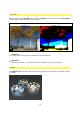
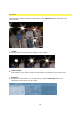
This is where you can control the brightness intensity of the original image.
•
Opacity
This option strengthens the opacity (covering power) of the effect.
•
Saturation
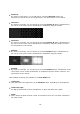
This is where you can strengthen or reduce the colour of the ray effect.
•
Hue
With the help of this option you can alter the shade of the ray effect.
•
Highlight Color
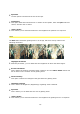
This is where you can decide on a colour to brighten up the ray effect.
•
Highlight Intensity
This option enables you to set the strength of the selected brightening colour.
•
Tint Color
This is where you can choose a colour with which to tint the rays.
•
Tint-Intensity
This option enables you to set the strength of the selected tint colour.
•
Exposure Tint
This is where you determine the way in which the tint works.