
Service manual




133
•
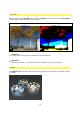
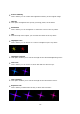
Spot-Size
Use this option to determine the size of the spot.
•
Orientation
This option determines the direction or rotation of the sparkle, when the Spot method is
chosen, direction has no effect.
•
reduce flicker
This enables you to reduce fluctuations in the brightness of sparkles in a sequence.
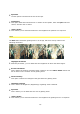
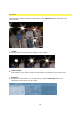
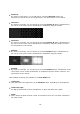
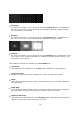
Glim
The Glim effect simulates glowing areas in an image, which are clearly visible in the
following illustration.
•
Highlight Threshold
With this parameter, you can determine the brightness at which the effect begins.
•
Erosion Threshold
This is where the number of glowing areas created is set. The reduce flicker option also
has an effect on the creation of new glowing areas.
•
Glow-Intensity
This option controls the strength of the glow effect for glowing areas.
•
Highlight Intensity
This is where the brightness (brightening) of glowing areas is defined.
•
Spot-Size
This is where you can determine the size of glowing areas.
•
reduce flicker
This enables you to reduce fluctuations in the brightness of glowing areas in a sequence.