
Service manual



13
Vitascene stand-alone (independent version)
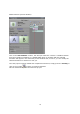
Starting the independent version of the program:
Click on the Vitascene icon on your desktop by double-clicking
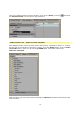
or via the Windows start menu / Programs / proDAD / Vitascene 1.0 .
Adobe Premiere Elements / Plugin as video effect
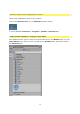
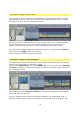
Start Adobe Premiere, place a video clip in the timeline and, in the Medium field, go to the
Video Effects menu. Once it is open you will see the proDAD folder. This folder contains
the Vitascene filter.