
Service manual

126
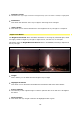
•
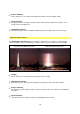
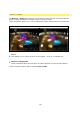
Highlight-Intensity
This allows the rays of light created to be brightened up (the color white is added) or highlighted.
•
Orientation
This allows the direction of the rays of light in the image to be changed.
•
reduce flicker
This allows you to reduce fluctuations in the brightness of rays of light in a sequence.
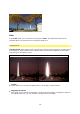
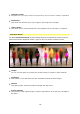
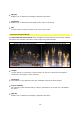
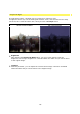
Saturation Bloom
Der Effekt Saturation Bloom verstärkt farbige Flächen im Bildmaterial. Dadurch können
Farben leuchtender dargestellt werden, sogar bis hin zum Glühen verstärkt werden.
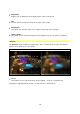
without Saturation Bloom with Saturation Bloom
•
Length
You can use this option to increase the colored sections of images or video material
•
Threshold
This enables you to determine the color threshold at which the effect begins.
•
Gamma
This setting option controls the effect on bright and dark areas.
•
Scene-Intensity
The intensity of the original image is used for optional dim-out as well as to strengthen
the effect.