
Operation Manual






12
Ulead COOL 3D 3.0
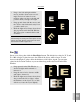
To create a finished title in a few minutes:
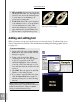
1 Drag a Composition preset to the
workspace, or double-click it. The entire
composition appears in the Edit Win-
dow.
2 On the Standard Toolbar, select a text
that you want to change from the Object
List.
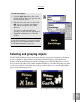
3 On the Object Toolbar, click the Edit
Text button. The Ulead COOL 3D Text
dialog box appears, displaying the text
object that you selected.
4 Change the text as desired, then click
OK. The new text appears in the
project, replacing the original text.
5 On the Animation Toolbar, click Play to
preview the animated project.
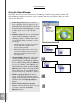
• Compositions Completed animated
projects that you can apply to blank
projects, including special effects. See
the next section for a tutorial.
• Backgrounds A collection of patterned,
photographic, and solid color back-
grounds.
• Shapes A group of three-dimensional
objects inspired by objects familiar to us
in daily life.
• Objects A variety of graphic objects that
you can insert into your project. Some
include texture attributes and animation
effects.
• Motion Animation presets designed
using the basic Position, Orientation,
and Size controls.
• Camera Effects that simulate the
motion of a camera and its specific lens
type to zoom in and out of the entire
project.