
Data Sheet




26
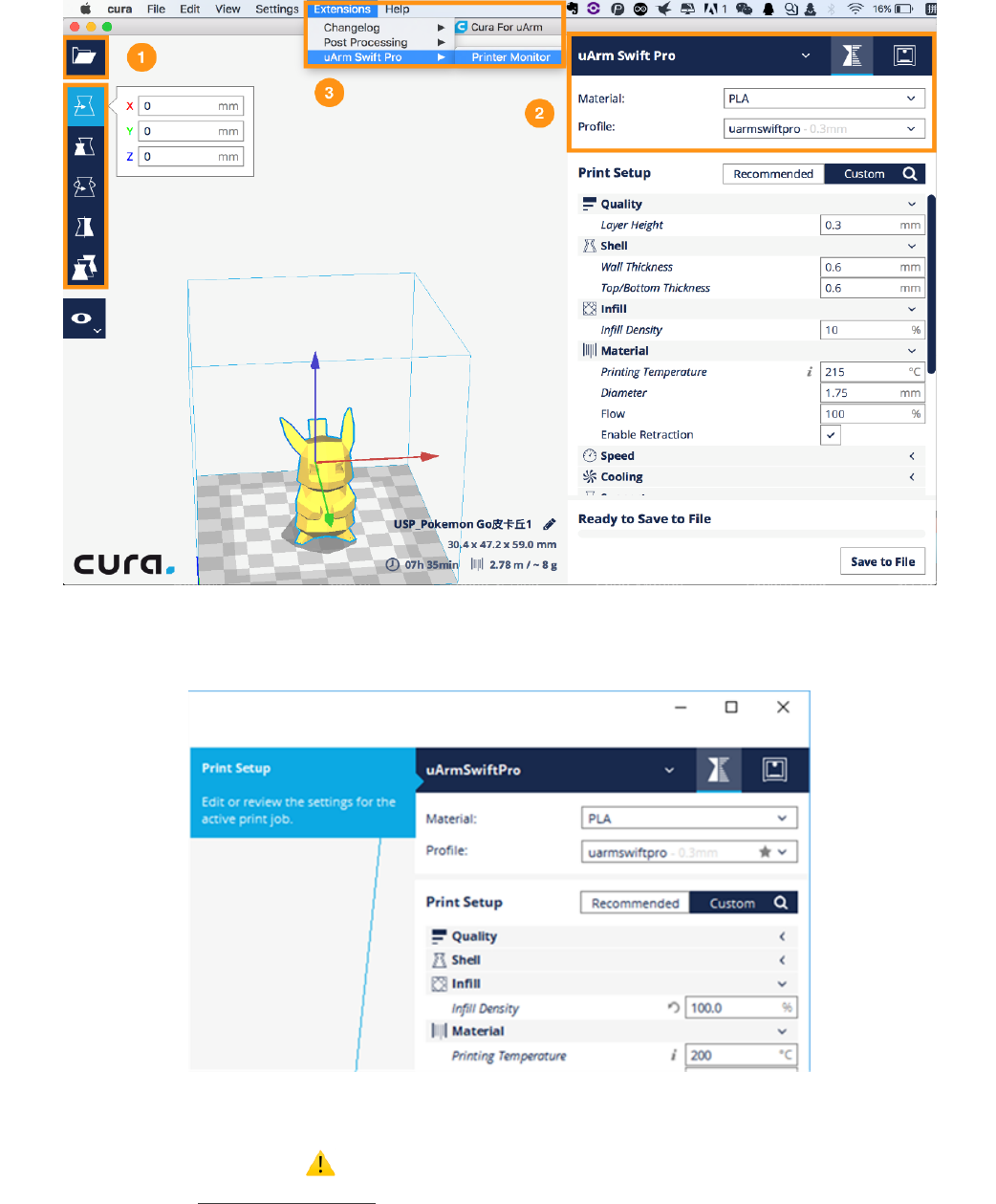
4) Import an .stl file, edit the size/position of the model.
5) Select “uArm Swift Pro” as the printer, and choose the related profile. It is recommended to keep the
default settings unchanged.
When setting the parameters of printer please choose the print setup option (orange rectangle), if you choose
the printer monitor option (the right button) you can hardly find the printer.
6) Open Printer Monitor. IMPORTANT: Please adjust zero point before printing.
Ensure the hot end is JUST TOUCHING the platform. Then click “Save Zero”. (The zero point of each arm is
not the same, please adjust the zero point following the step 3) before printing.)