
User Manual

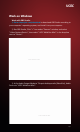





Table Of Contents

Work with other applicaons (e.g. VLC, Media encoder, Protplayer…):
Just run the applicaon then choose capture device to “UCEC MulOne
Mini”.
Work with OBS Studio:
Download and install OBS studio, then do the same as above on windows.
Work with QuickTime Player:
1, Run QuickTime player, select “New Movie Recording”:
2, Choose “UCEC MulOne Mini” under Camera and Microphone opon:
Work with OBS Studio:
Download and install OBS studio, then do the same as above on windows.
(note: Your Linux should meet OBS requirements)
Work with OBS VLC (shows example for Ubuntu):
1, Right click on window, select “Open Capture Device”:
Work on MAC:
UCEC MultiOne Mini
Work on Linux:
Pag.7
UCEC