
- Truly Pic 'N RollDigital Photo & Audio Player User's Manual
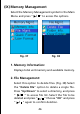
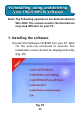
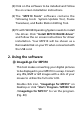
Table Of Contents
- I. Getting Started
- II. What does this button do
- III. Learning to use your MP310
- IV. USB Removable Disk
- V. Unplugging your MP310 from the PC safely
- VI. Installing, using and deleting your TRULY MP310 software
- VII. Frequently Asked Questions
- Technical Support

Quick Format:
Quick Format will erase all data in your MP310
without performing the scan disk function.
Select your formatting option and press “ ” to
confirm. Press “ESC” to cancel out of this operation.
Repeat the steps to delete another file or press
“ESC / ”to return to the previous screen. Select
“Folder Information” and press “ ” to display
file information in the selected directory. Select
the “Clear Folder” option to delete all files in the
selected directory.
/