
- Truly Pic 'N RollDigital Photo & Audio Player User's Manual
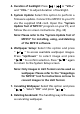
Table Of Contents
- I. Getting Started
- II. What does this button do
- III. Learning to use your MP310
- IV. USB Removable Disk
- V. Unplugging your MP310 from the PC safely
- VI. Installing, using and deleting your TRULY MP310 software
- VII. Frequently Asked Questions
- Technical Support

4. Duration of backlight: Press / or “VOL+”
and “VOL–” to adjust duration of backlight.
5. System Update: Select this option to perform a
firmware update. Connect the MP310 to your PC
via the supplied USB cord. Open the “System
Update Tool of MP310” program on your PC, and
follow the on screen instructions. (Fig. 34)
6. Wallpaper Setup: Select this option and press
“ ” to access available wallpaper images.
Press “Up/Down” to select image and press
“ ” to confirm selection. Press “ ” again
to return to the System Setup screen.
/
/ /
Please refer to the “System Update Tool of
MP310” for installing, using, and deleting
of the MP310 software.
Note:
Only images in LGO format can be used as
wallpaper. Please refer to the “Image2Lgo
for MP310” tool for instructions on how to
convert images to the LGO format.
Note:
7. Canceling Wallpaper: Select this option and press
“ ”. Select “OK” and press “ ”.
8. Deleting bookmark: The handling way is the same
as canceling wallpaper.
/ /
44